

PDF Version
Download and save your meal plan for offline use, anytime, anywhere.
Show me how →
Web Version
Use your meal plan online, on your phone or computer, no download needed.
Show me how →
Access Your PDF Meal Plan
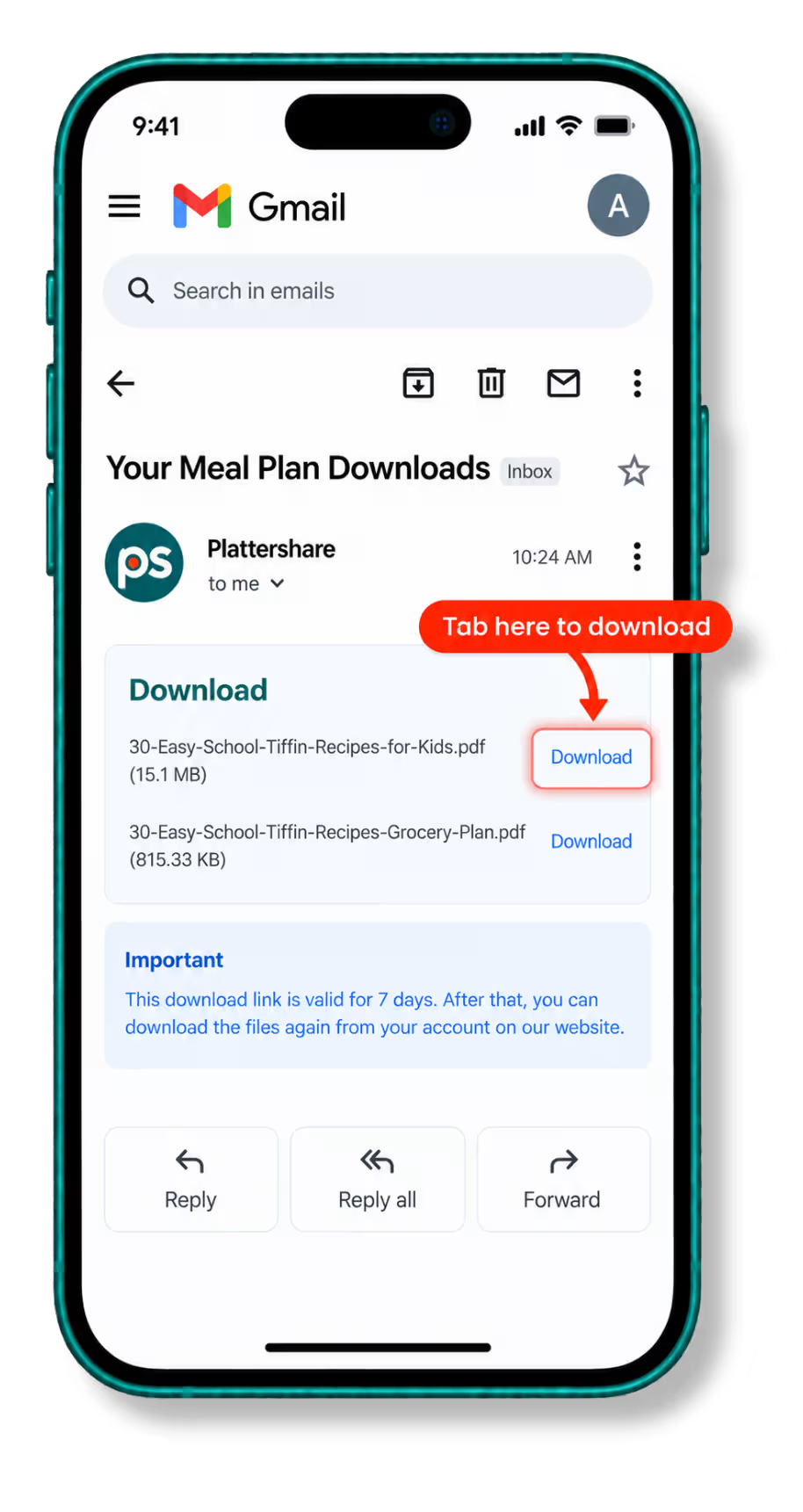
After your purchase, you’ll receive an email with links to download your meal plan PDFs.
1
Open your purchase email
Look for the email you received right after completing your purchase, then click the download link or button inside it.
2
Download your meal plan
Click the download link and save the PDF to your device. You can then open it anytime, from your phone, tablet or computer.
3
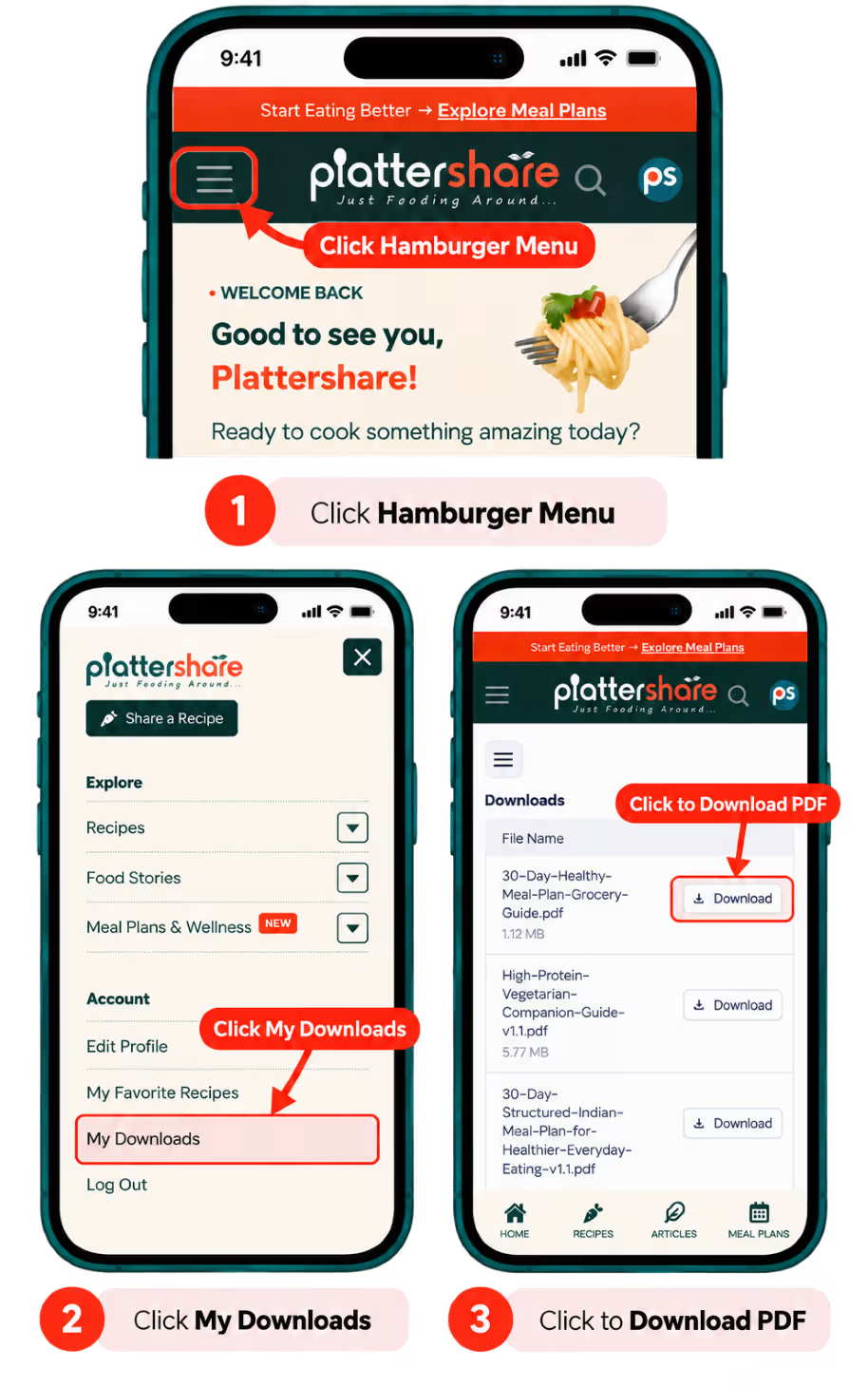
Or, find it anytime under My Downloads
Every meal plan you’ve bought is also saved to your Plattershare account.
Access Your Meal Plan Online
The Web Version gives you an easy way to browse and use your meal plan directly online.
The Plattershare app is currently available for Android only.
1
Log in to Plattershare
Open Plattershare and make sure you’re logged in to the account you used to purchase your meal plan.
2
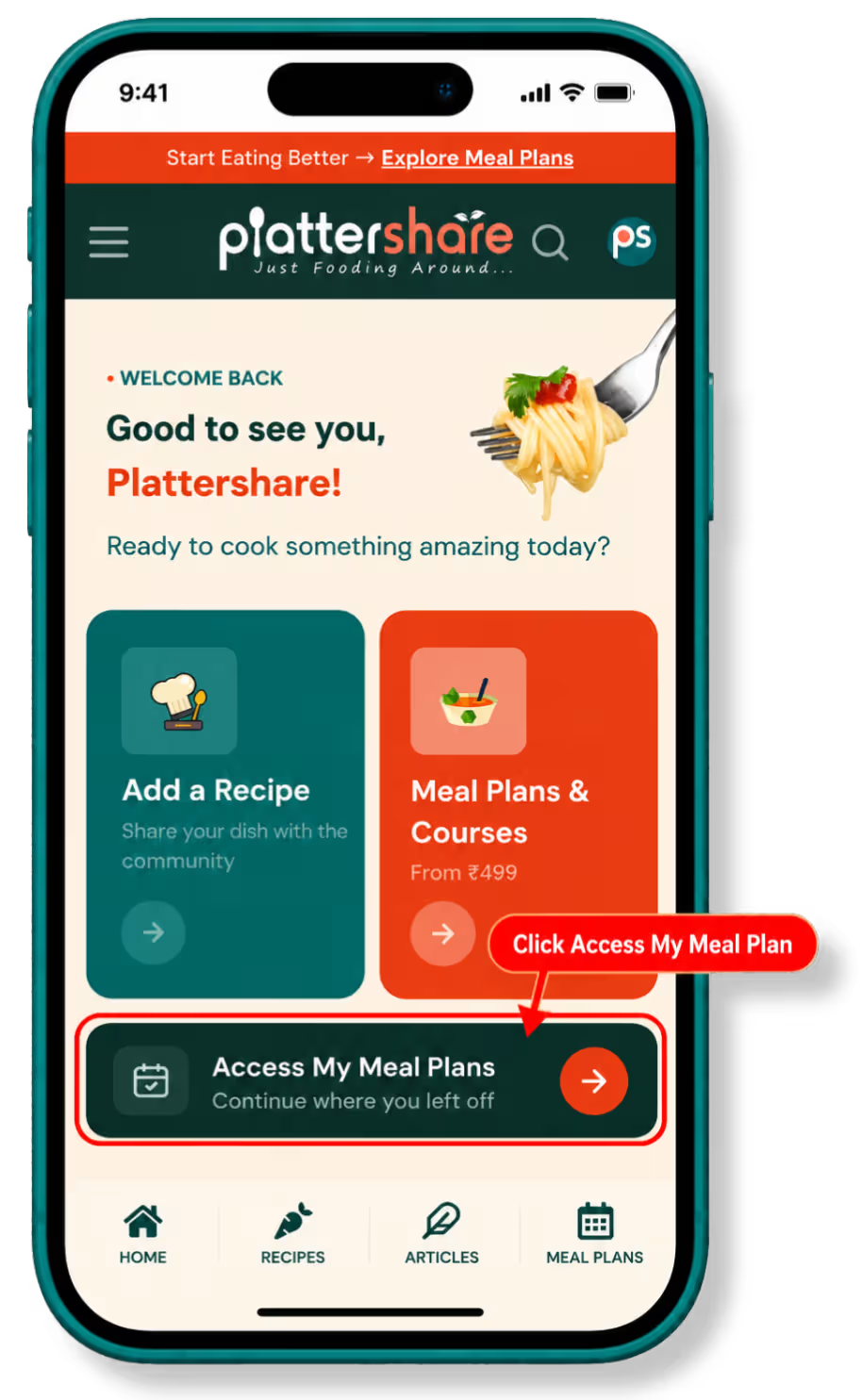
Click “Access My Meal Plan”
Once logged in, head to the Plattershare home page and click Access My Meal Plan. This opens the web version at plans.plattershare.com.
3
Start using your meal plan
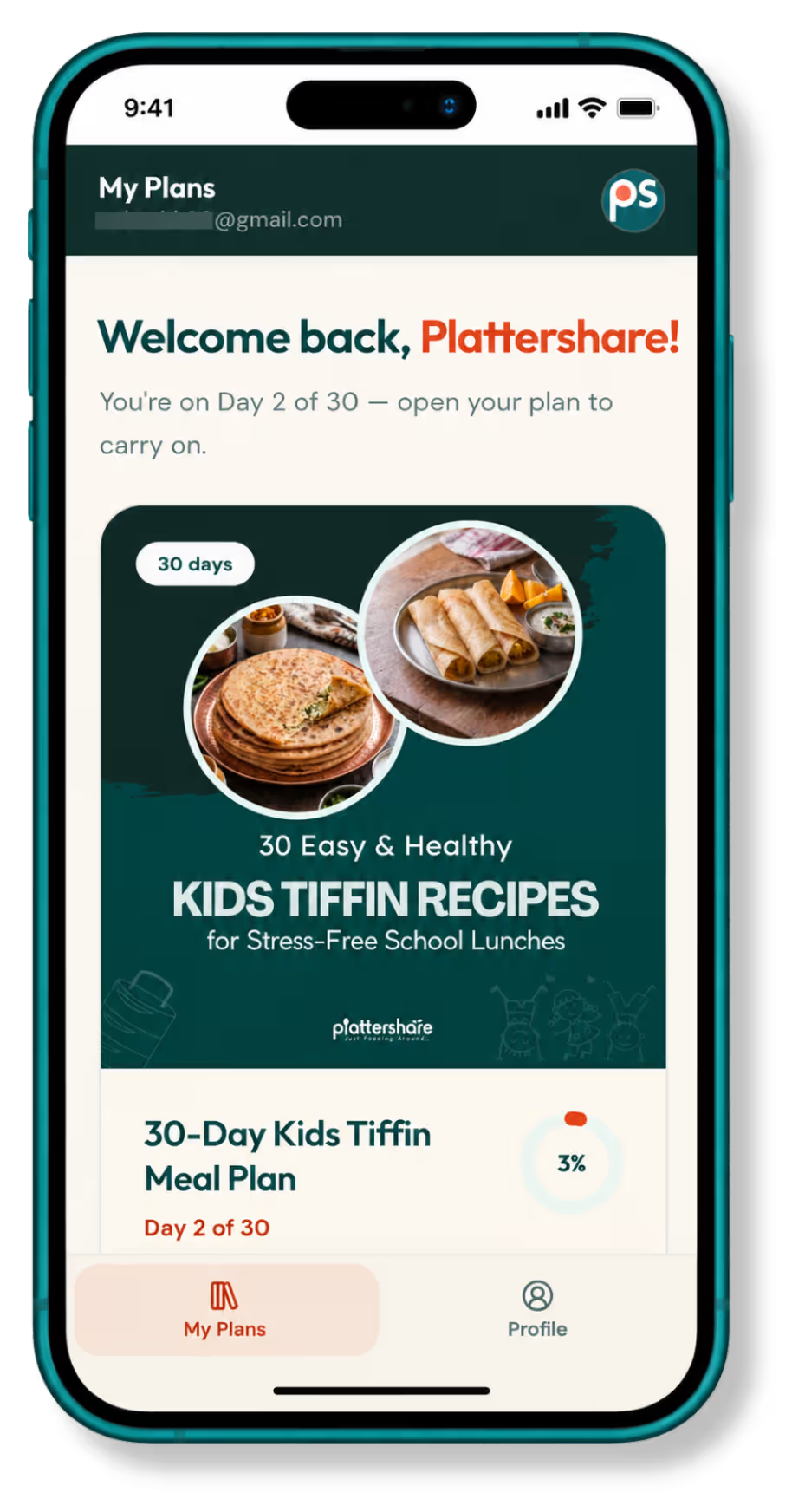
Your meal plan opens at plans.plattershare.com. Browse and use it directly from your device, whenever you like.
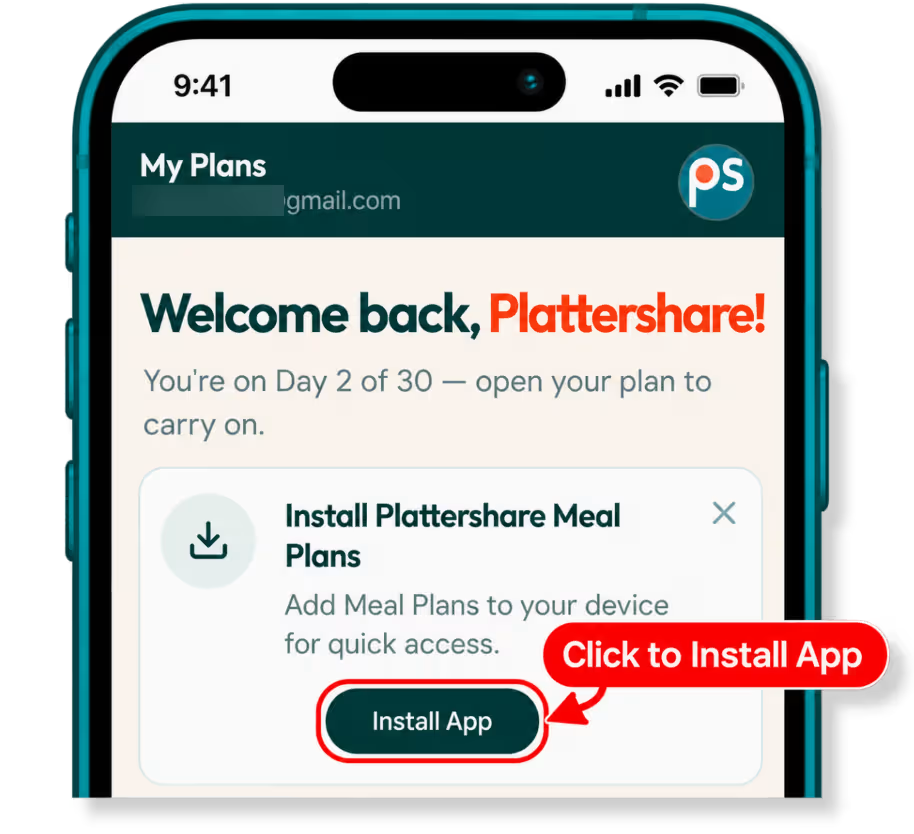
Your meal plan is linked to your Plattershare account. If you don’t see it, here’s what to check.
1
Check that you’re logged in
Make sure you’re using the same Plattershare.com account and email address you used when purchasing.
2
Log out, then log back in
A quick re-login often refreshes your access and fixes the issue.
What do you want to do?
What do you want to do?
Where to go
Still can’t access your meal plan?
Send us a message and we’ll get you sorted, usually within a few hours.